Hello @Dani_S ,
To answer your questions about VS 2026:
Does the VS 2026 is stable, and available?
Visual Studio 2026 is now officially released and considered stable.
It’s available through the standard installer from the Visual Studio website.
Which features I got with it?
Features include faster solution load and build times, a refreshed UI, and deep AI integration like Copilot for code suggestions, profiling, and test generation. It also supports .NET 10, C# 14, and the latest C++ standards, plus improved DevOps and container tooling.
For more details, check the official release notes.
Does installing VS 2026 is a separate installation, not harm VS 2022 , and what size of installation is it ?
You can run side-by-side with Visual Studio 2022, so installing it won’t harm your existing setup. You can even copy workloads and settings from VS 2022 during installation if you want.
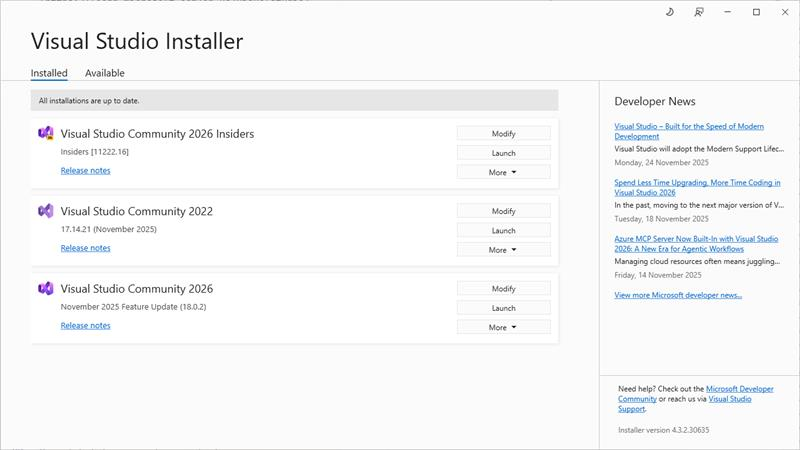
Installation size varies depending on workloads:
- Core IDE only: about 1 GB
- Typical workloads (e.g., .NET desktop, ASP.NET, C++): around 10-15 GB
- Full installation with all workloads: up to 50 GB
Does all projects before, it supports?
Compatibility is good. Projects from previous versions are supported, though some older project types may need migration. Most VS 2022 extensions work without changes.
' cx='32' cy='32' r='32' /%3E%3Ctext x='50%25' y='55%25' dominant-baseline='middle' text-anchor='middle' fill='%23FFF' %3ED%3C/text%3E%3C/svg%3E)
' cx='32' cy='32' r='32' /%3E%3Ctext x='50%25' y='55%25' dominant-baseline='middle' text-anchor='middle' fill='%23FFF' %3EML%3C/text%3E%3C/svg%3E)